
The whole day's work in one verified toolkit.
Bates stamping, load files, court books, OCR, Outlook mailboxes, email threading and redaction checks: 41 tools in one Windows app. Your evidence is never changed, copies are verified, and every run leaves an audit trail.
Windows 10 and 11. Runs on your PC: your documents never leave it.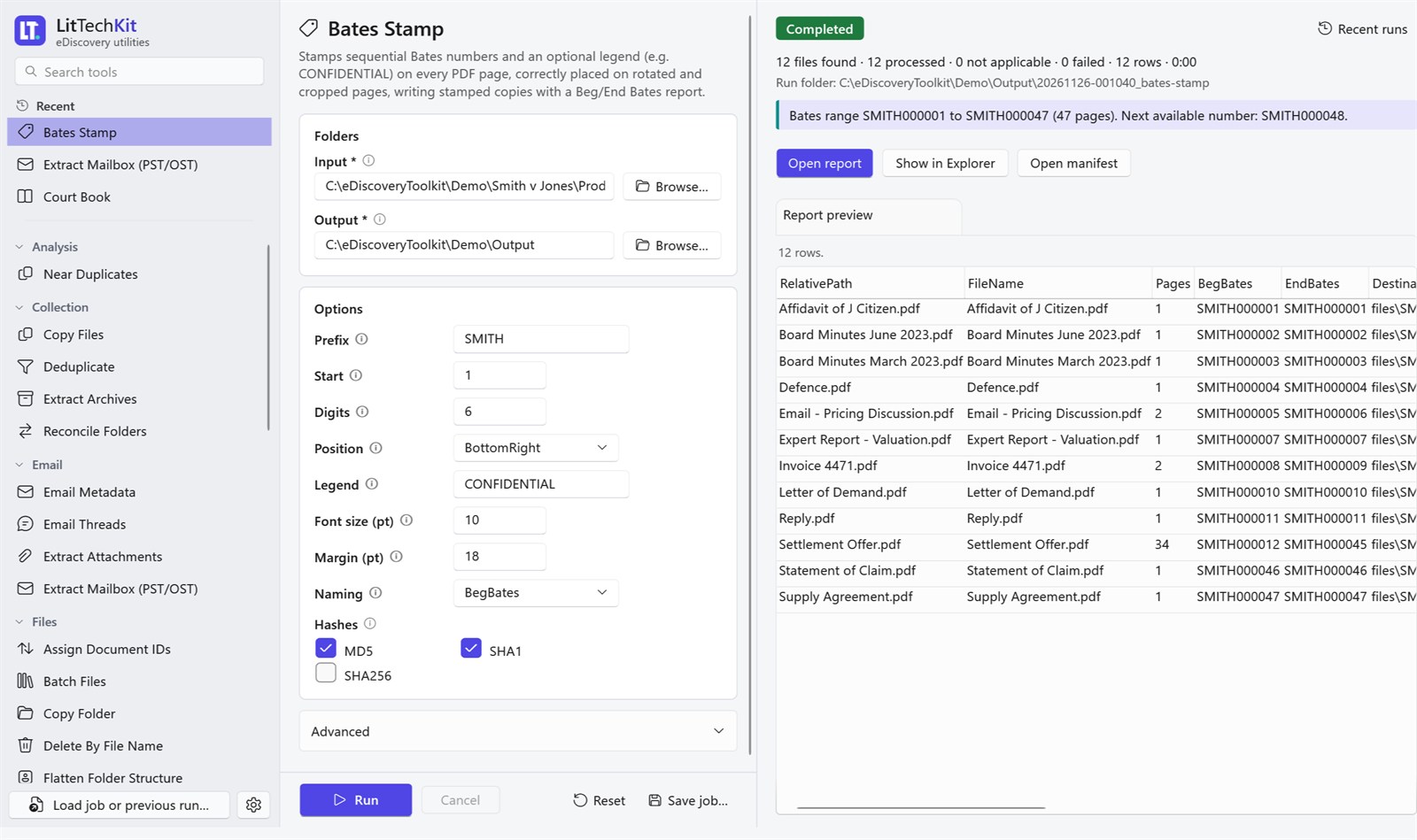
One app, the same way of working for every job
Pick a tool, choose your folders, run. Every result comes with a report you can open straight away.
Everything between collection and court
Collection
Copy files with hash verification, extract archives (ZIP, 7z, RAR, TAR), deduplicate, reconcile two folders.
Collection tools →Email PRO
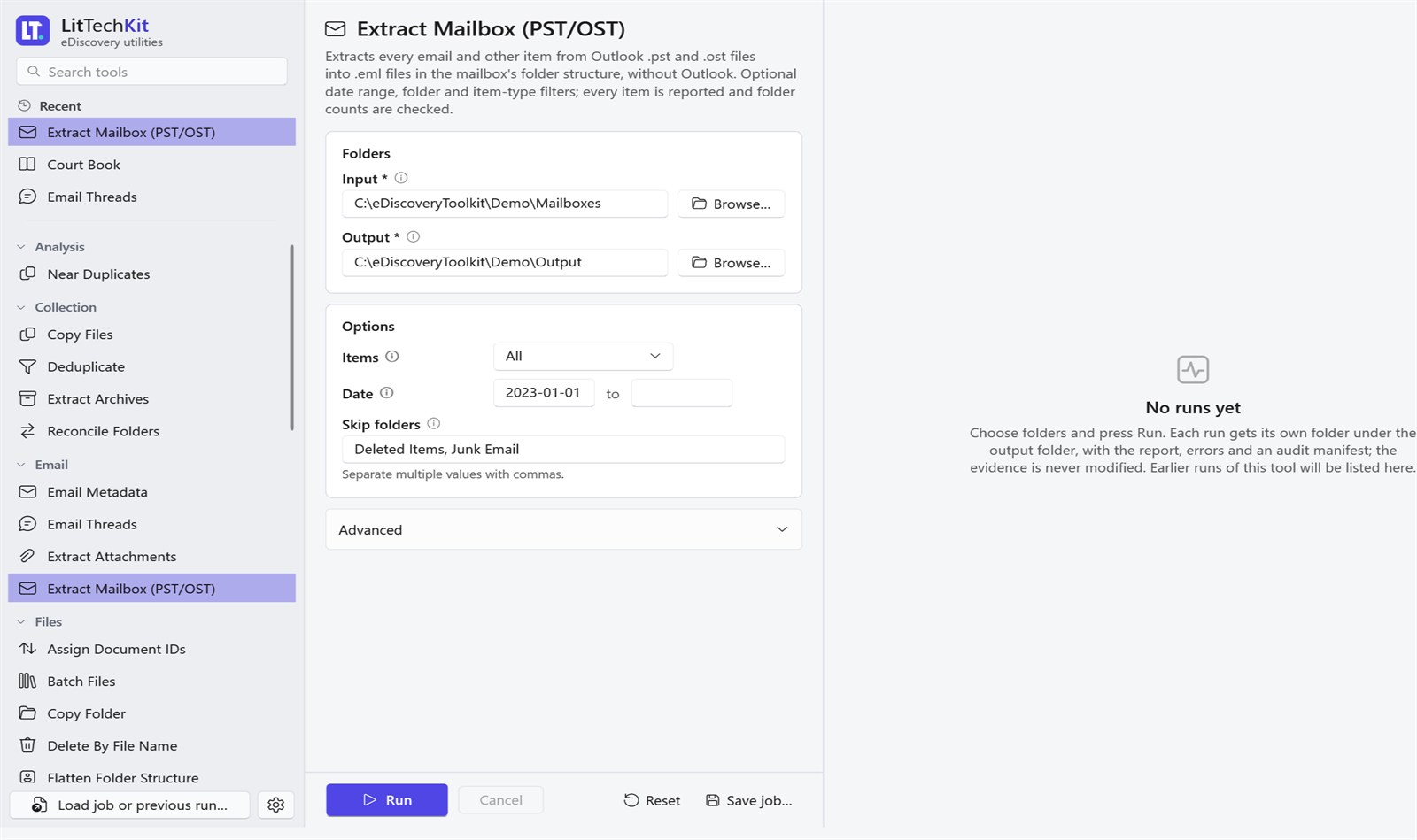
Extract Outlook PST and OST mailboxes, thread conversations and find inclusive emails, email metadata, attachment extraction.
Email tools →Processing
OCR scans into searchable PDFs, convert Office and email to PDF, extract text, decrypt protected files, CSV to Excel.
Processing tools →Production PRO
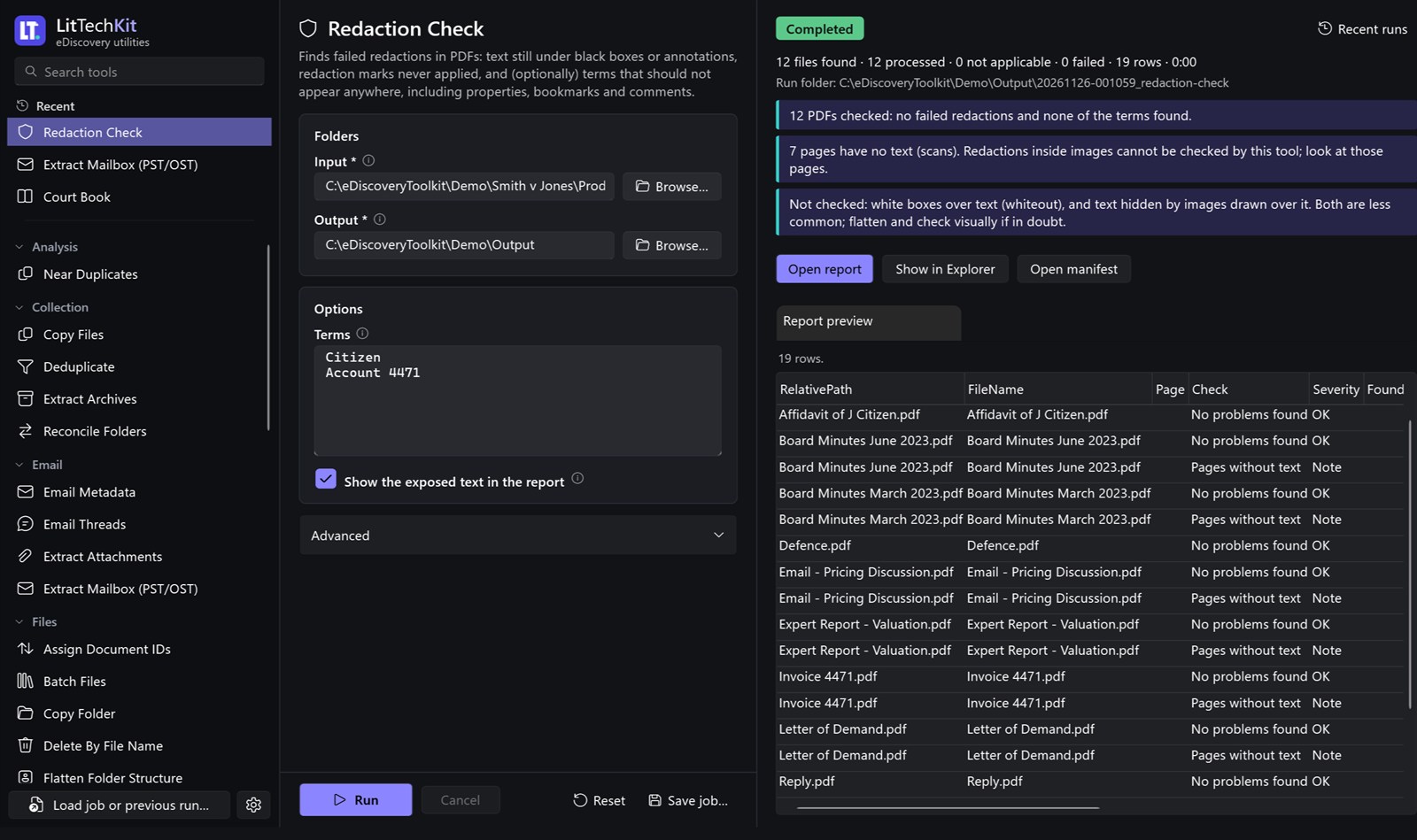
Bates stamping and QC, redaction checks, load files (create, check, convert DAT, OPT and LFP), court books, Relativity exports.
Production tools →Combine and split (by size for upload limits, pages or bookmarks), flatten, resize, watermark, placeholder pages.
PDF tools →Search and analysis
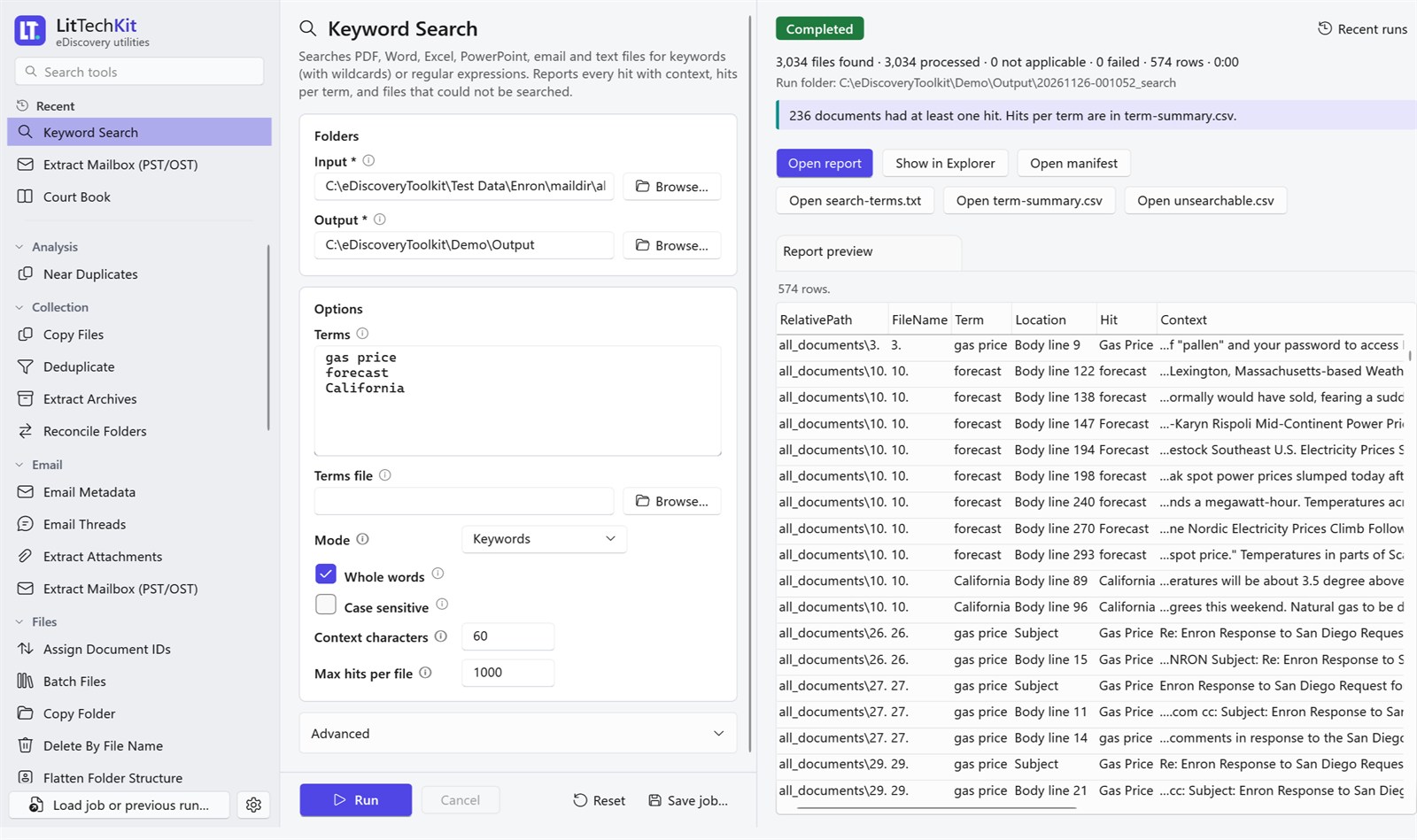
Keyword search, near-duplicates, page counts, file inventories, document IDs and file housekeeping.
Search and analysis →Productions that check themselves
Stamp, check and load-file a production in one place, and catch the problems before the other side does.
- Bates numbers and legends on every page, rotated and cropped pages included
- Bates QC: gaps, overlaps and duplicates, and whether every page shows its number
- Create, check and convert DAT, CSV, OPT and LFP load files
- Redaction Check finds text still under black boxes
Mailboxes and conversations at scale
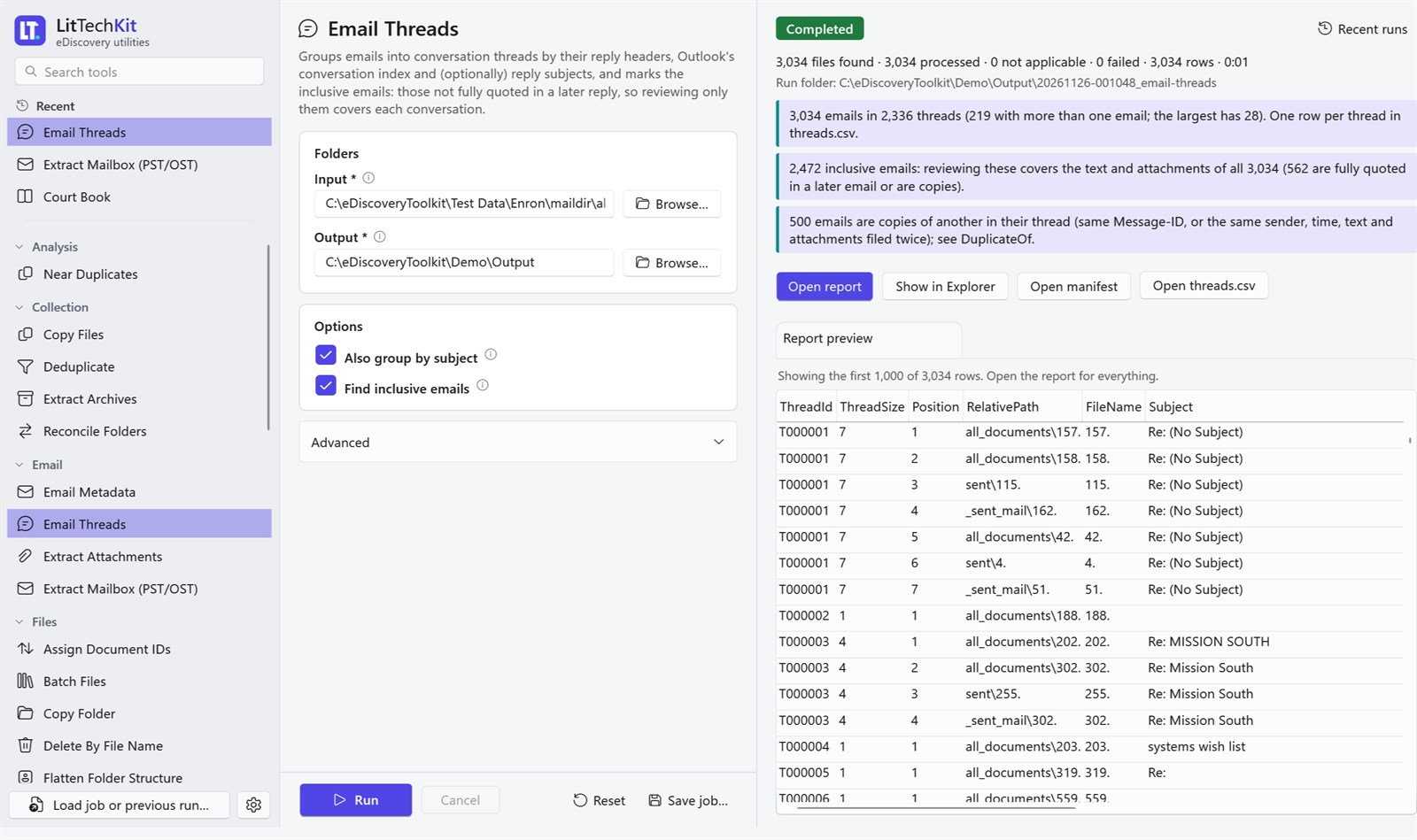
Open Outlook mailboxes without Outlook, then read each conversation once.
- Extract PST and OST files into emails you can search, convert and produce
- Thread conversations by reply headers, Outlook's conversation index and subjects
- Inclusive emails: the fewest emails that cover every conversation
- All 517,401 emails of the public Enron collection threaded in about three minutes
Court books in minutes, not days
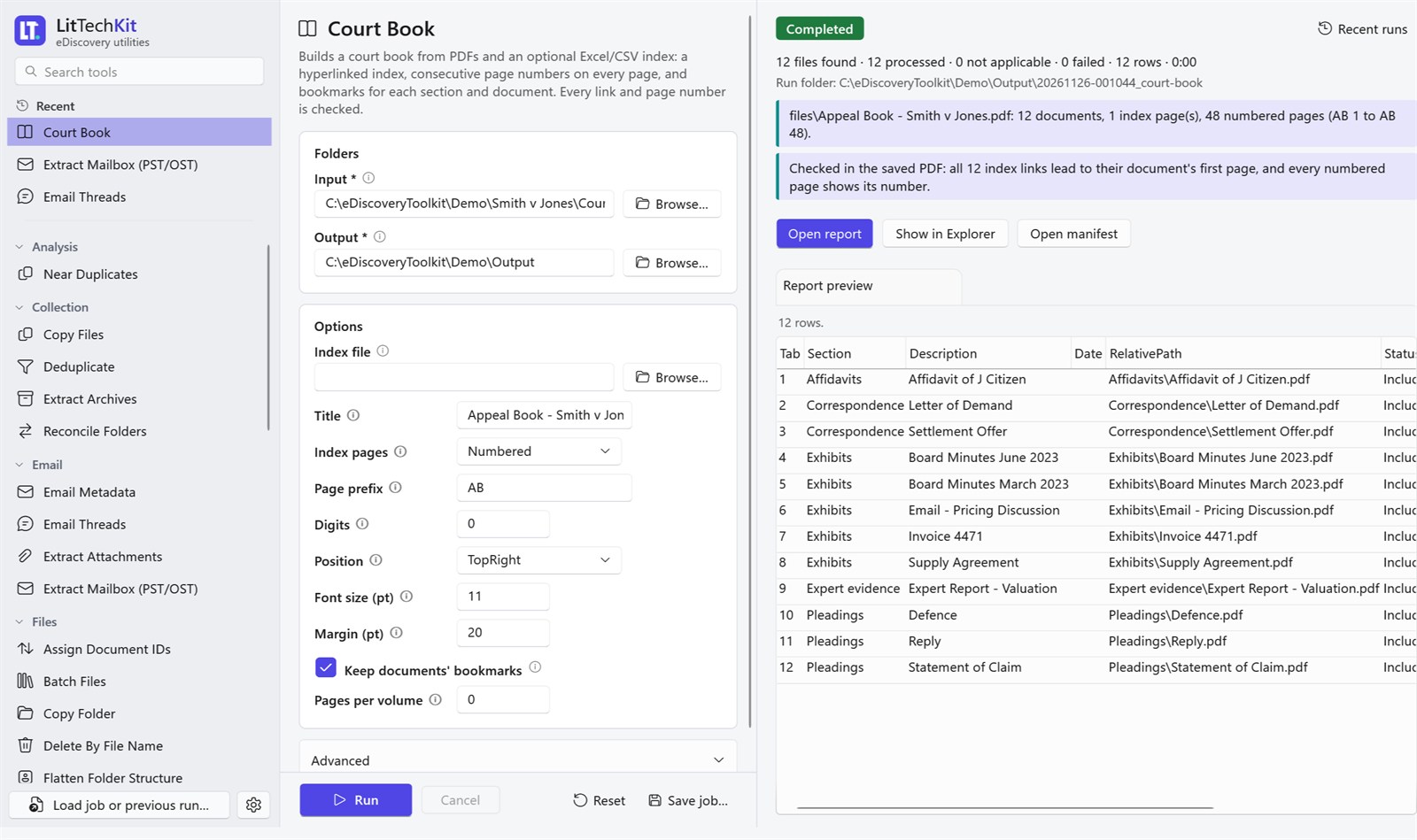
Turn a folder of PDFs and an index spreadsheet into a paginated, hyperlinked court book.
- A linked index with sections, dates and page ranges
- Page numbers your way: prefix, padding and position
- Volumes for long books, with links between volumes
- Every link and page number checked in the finished PDF
Three steps, every time
Pick a tool
Search the tool list or pick from the categories. Each tool explains itself, and every setting has help beside it.
Choose your folders
Point it at the input and an output folder. Your input is opened read-only; results always go somewhere new.
Run and keep the record
Open the report straight from the app. Each run folder holds the report, any errors and a manifest for your matter file.
Defensible by default
The free edition makes exactly the same guarantees as Pro. A free user's results must be as defensible as a paying user's.
Read-only input
Tools read from your source folders and write somewhere else. Nothing changes in place unless you turn that on and confirm it.
Verified copies
Every file written is hashed as it is written and checked again afterwards. Timestamps are preserved.
An audit trail for every run
Each run writes its report, an error list and a manifest: tool, version, settings, counts and hashes.
Offline by design
No cloud and no upload. Even the Pro licence is checked on your PC without contacting anyone.
Common questions
Do my documents leave my computer?
No. LitTechKit runs entirely on your PC. Nothing is uploaded, and the licence is checked offline.
Do I need Microsoft Office?
Only for Convert To PDF, and for Decryption of Office files. Every other tool, including reading old .doc, .xls and .ppt files for search, works without it.
Do I need Outlook to open PST files?
No. Extract Mailbox reads .pst and .ost files directly. Close Outlook first if it has the file open.
What does the free edition include?
Every tool. The 21 Pro tools work on up to 25 documents per run, so you can try them on real work. Pro removes the limit and adds the command line and saved jobs.
Which versions of Windows?
Windows 10 (version 1809 or later) and Windows 11, 64-bit. No installation or admin rights are needed for the single-file download.
Start with the free edition today
Every tool included. Add Pro any time; no reinstall needed.